01 / A closer look at the work
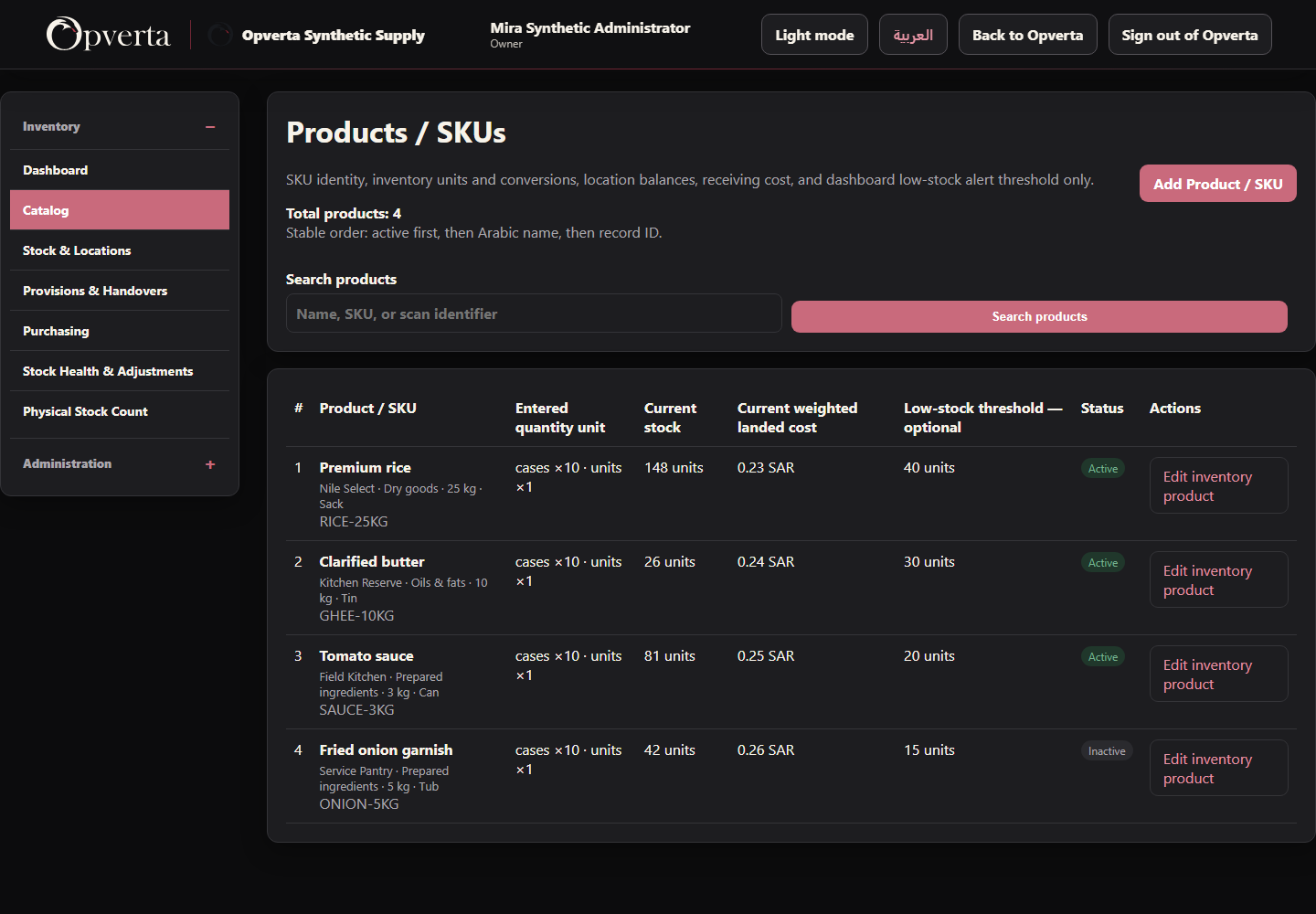
Products built for stock.
Keep the SKU, practical units and stock controls together.
- Recognizable product identitiesFind products by name, SKU or recorded identifier.
- Practical stock quantitiesRead configured package equivalents, stock and receiving cost.
02 / A closer look at the work
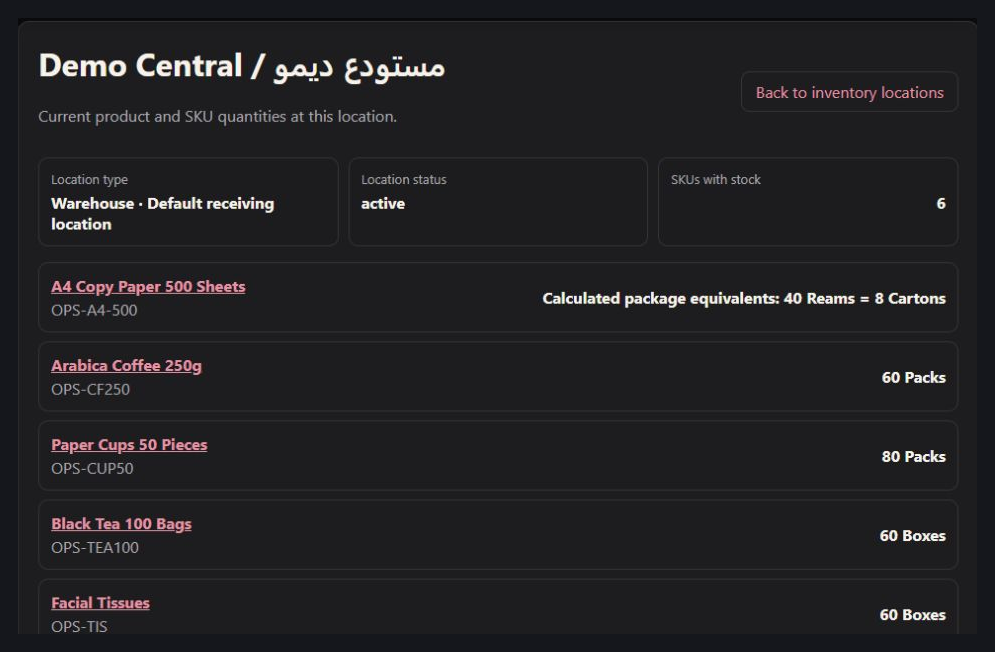
Know where every balance sits.
Read quantities by authorized warehouse or storage location.
- A location-level viewFollow the products and available balances at each location.
- Units that match the productSee configured practical units and package equivalents.
03 / A closer look at the work
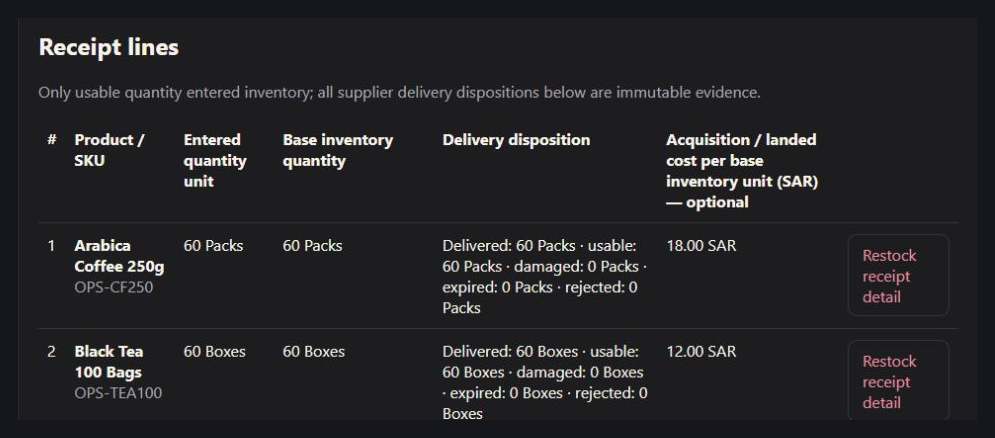
Receive more than a number.
Keep delivery quantities, condition and evidence together.
- Separate delivery dispositionsRecord usable, damaged, expired and rejected quantities.
- Keep the receiving trailLink receipt references, supported evidence and optional costs.
GOOD TO KNOW
Standalone Inventory is distinct from stock inside Sales. Units, lots and approvals depend on company configuration.

THE ORIGINAL GUIDE
Inventory & Warehouse
See the full bilingual guide, page by page, or keep the original PDF.
CONTINUE EXPLORING
ProductsContinue exploring