PLATFORM & SPACESRelease candidate · physical acceptance pendingEvery room.
Every room.
Within reach.
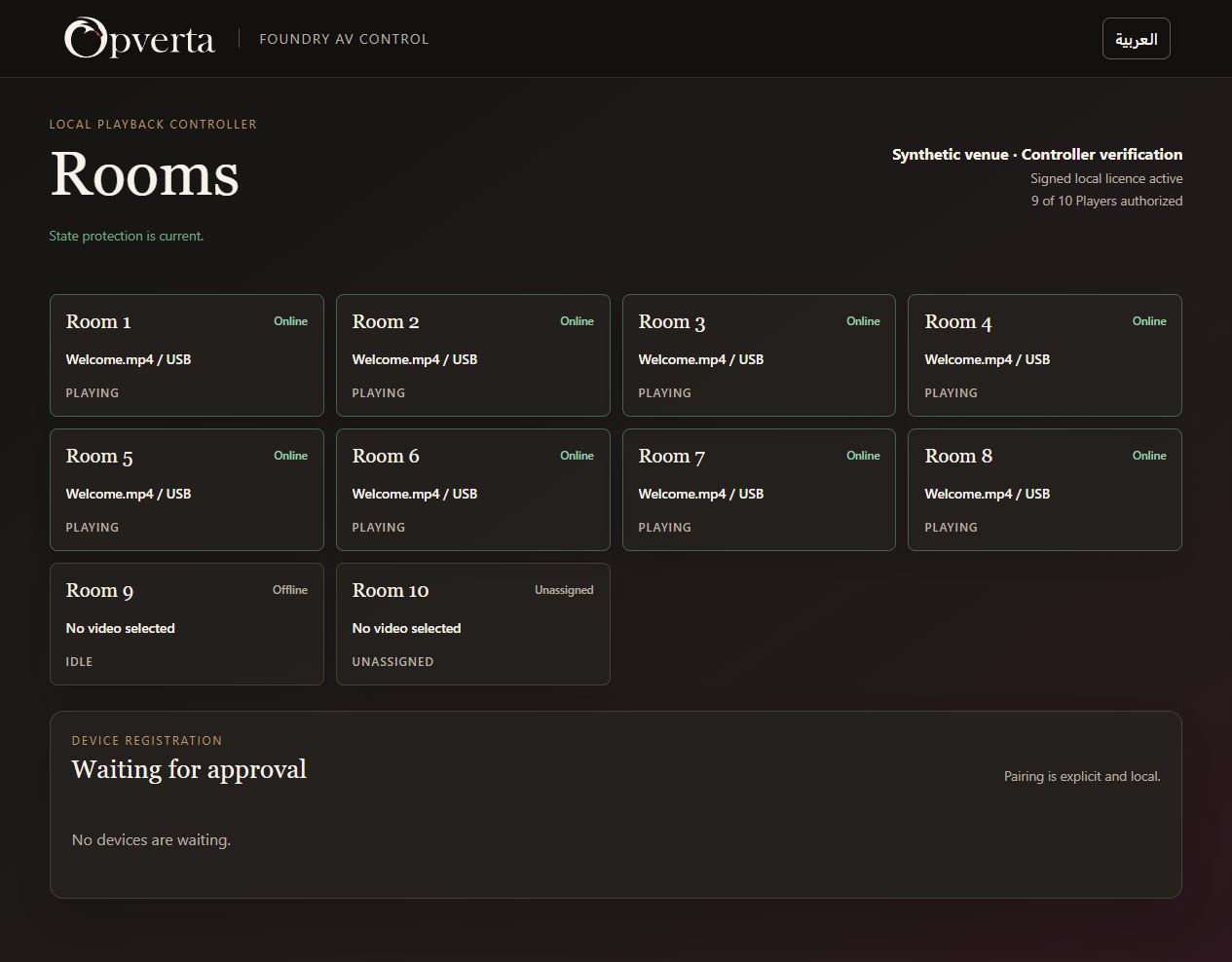
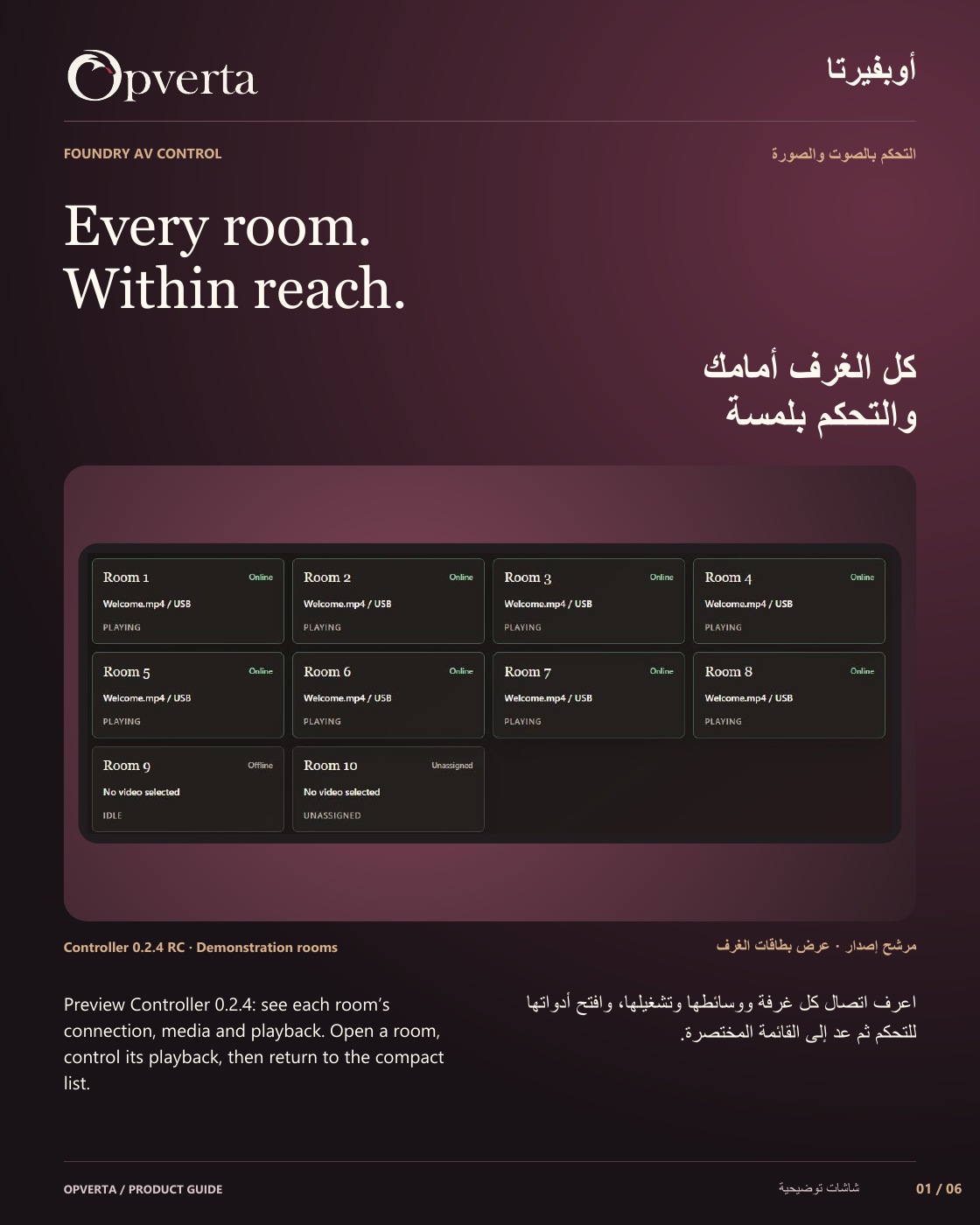
Preview Controller 0.2.4: see each room’s connection, media and playback. Open a room, control its playback, then return to the compact list.
Representative product screen
01 / A closer look at the work
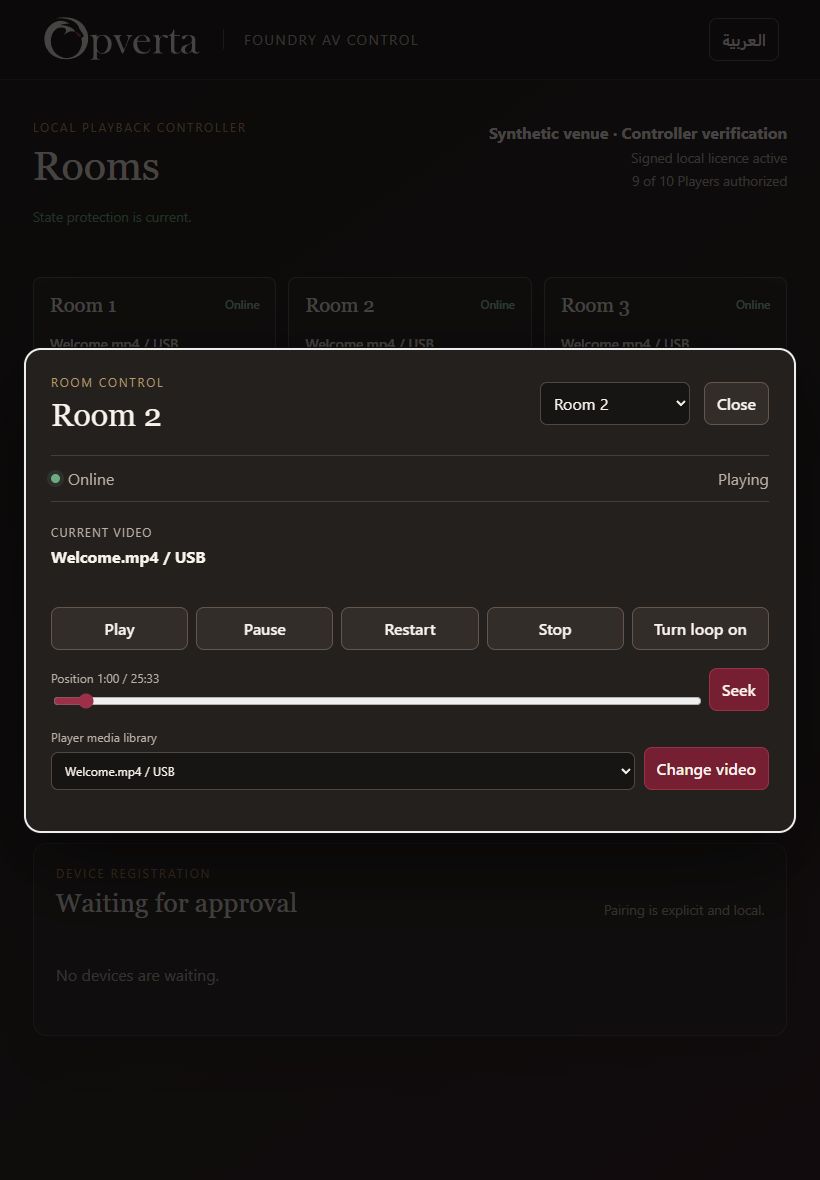
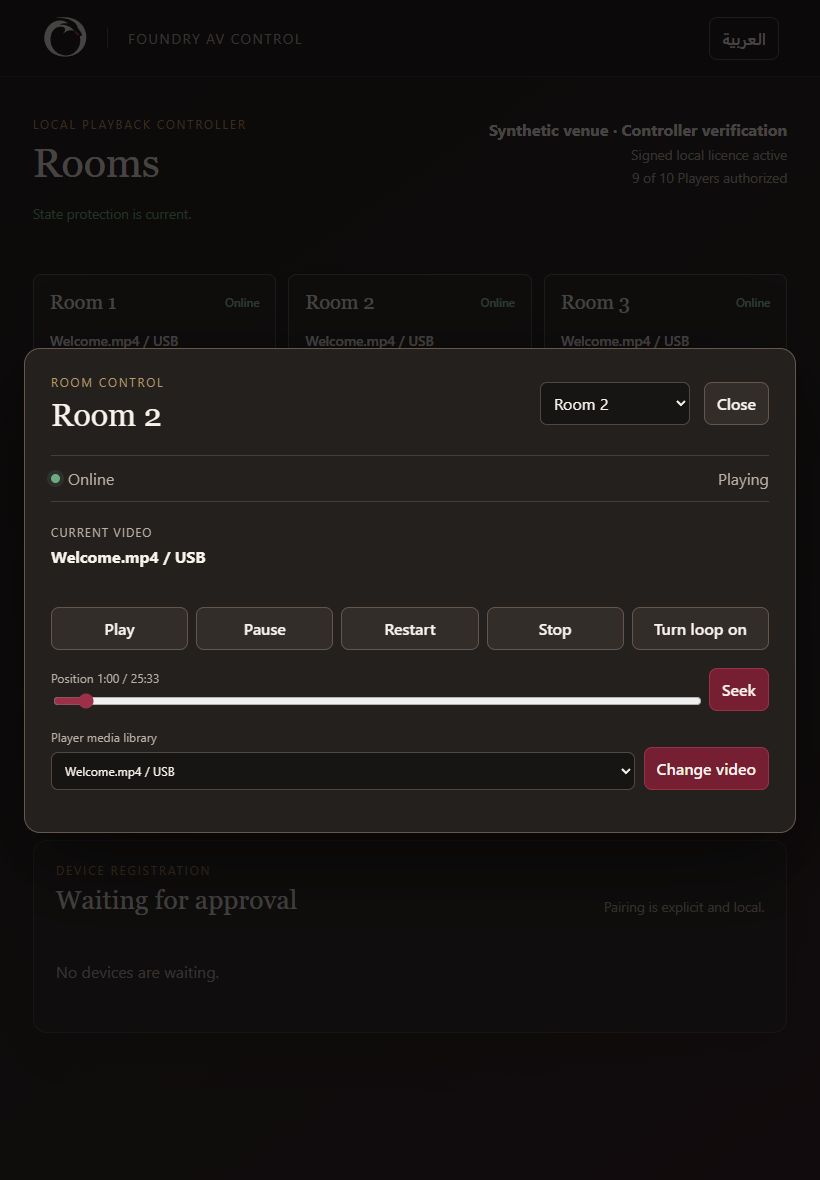
Control playback in context.
Keep the chosen room and its playback actions together.
- The everyday controlsPlay, pause, stop or restart the room’s selected media.
- Read the current positionReview the reported state and timeline before acting.
02 / A closer look at the work
Choose media. Set the playback.
Use the Player’s reported library and supported playback tools.
- Select from the Player libraryChange to media currently reported as available by that Player.
- Seek and loop when supportedSeek within a known duration and control compatible loop playback.
03 / A closer look at the work
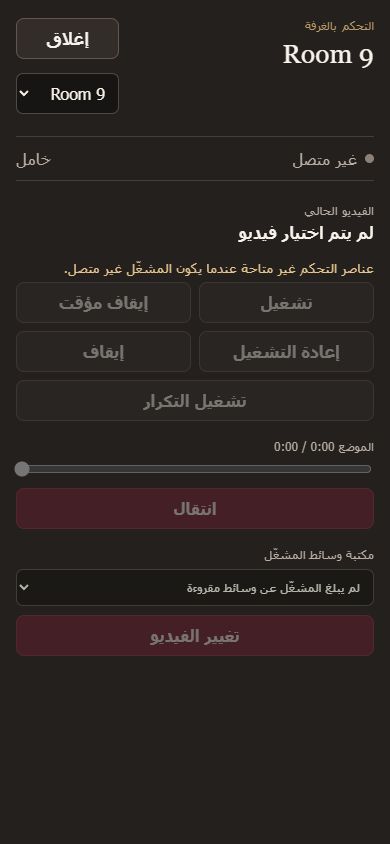
Keep unavailable rooms clear.
Offline, unassigned and stale states do not look ready to control.
- Act on a current connectionControls are limited until the room has current usable status.
- Room-sized mobile controlsTablet opens a popup; phone uses a full-screen room view.
GOOD TO KNOW
Release candidate: Controller 0.2.4 awaits physical/site acceptance. Current interface is dark-only; device support is qualified separately.
THE ORIGINAL GUIDE
Foundry AV Control
See the full bilingual guide, page by page, or keep the original PDF.
CONTINUE EXPLORING
ProductsContinue exploring